
AI-first custom software
Your business has grown. Give your team more room to grow.
When more orders mean more spreadsheets, more follow-ups, and more decisions landing back on your desk, your systems are costing you time. Lynk Solutions builds custom software around how your team works, from one recurring task to the systems that run your business.
Bring one task or one idea. We’ll email you to agree on a time.
- Fixed pricing once scoped
- You own the custom code
Who you’ll work with
We’ve been on both sides of a software build.
We’ve run businesses that depend on software every day. We’ve also built the systems those businesses rely on. You work directly with the people who build your software.
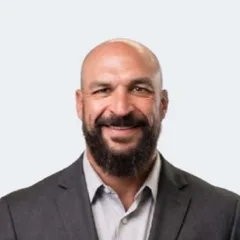
Daniel Becker
Co-founder & CEO
Ran the business

Danny Rackow
Co-founder & COO
Shaped the product

Waqar Abdul Ghaffar
Co-founder & CTO
Built the software
Founder experienceRMMD Company · MediFlow 360 · Rhithm (acquired by Securly) · TPLEX · Pathora
Meet the foundersWhy we started with our own operations
~30%
Daniel Becker, our co-founder and CEO, ran an e-commerce business where recurring tasks kept coming back to him. He built custom software to take them off his plate and estimates it gave him back about 30% of his time as CEO, without hiring additional help.
Interactive examples
See what changes when the work is connected.
Pick a task your team handles today. Each example uses fictional records so you can try it yourself.
Inventory
Find stock across locations and record a move or adjustment.
The software flags it.
Five items are at or below their reorder point.
Your team checks it.
Count the shelf and confirm what’s on hand.
The next step is ready.
A reorder quantity is suggested from days of cover and supplier lead time.
Fictional business. Nothing you change is saved.
Want to see this built around your own workflow?
Show us the task. In 15 minutes we can talk through who it would help and what’s worth exploring first.
Two ways we help
Improve how your business works, or build something new to sell.
Improve how you work
Keep what works. Fix the gaps between tools.
Your store knows what sold. Your warehouse knows what shipped. If someone still has to compare the two by hand, that’s a good place to start.
Sound familiar?
- Recurring work still depends on spreadsheets, handoffs, or people moving information between systems.
- Growth adds more work than the current team can absorb.
- You see a role for AI and want a practical first project.
- 01 Connect the systems you rely on
- 02 Build a tool for the missing step
- 03 Replace software you’ve outgrown
Sell something new
What would you sell tomorrow if you had the software to offer it?
You know what your customers keep asking for. You may already have a service in mind that you'd love to offer them. Bring us the idea in your own words. We'll work with you to define what customers could do, decide what the first version needs, and build something they can try.
Talk through my ideaHow it works
From the first conversation to your team's first day using it.
Step 1
Walk us through the work.
Show us a recent job, or tell us about an idea you want to explore. For a new service, we start with who would use it, what they want to do, and what a useful first version should include.
Step 2
Agree on the build.
Review the proposed screens, what the software will do, and which systems it needs to connect. Once we agree on scope, the build price is fixed.
Step 3
Try it with your team.
We build a working piece you can use and review it together against the workflow you showed us.
Step 4
Put it into use.
Choose how it runs: fully managed by Lynk, managed by us in your cloud, or managed through launch and then transferred to your team. We plan the rollout with you, including hands-on training and any data migration in scope.
Step 5
Decide what comes next.
Choose a monthly support plan for the upkeep, fixes, and updates your system needs.
Switch when your team is ready.
Your existing tools stay in use while the team learns the new workflow and you review the replacement.
Know who to call.
You have a dedicated point of contact and direct access to the people who built your software.
Step 1 starts with one recent example.
Ownership and pricing
What you own. What we handle.
The custom code is yours.
You own the software we build for you. We discuss access, documentation, and handover while defining the project.
Choose how it's hosted.
We work through where the application runs, who needs access, and how it connects to the tools you keep.
- Fully managed: Lynk hosts, maintains, and updates the software.
- Managed in your cloud: We deploy into a cloud account your company controls and still handle the upkeep.
- Manage and transfer: We run it through launch, then hand operation over to your team or another provider, with the documentation and access they need.
Pricing
A fixed price for an agreed scope.
You see what's included and what it costs before development begins. We agree on ongoing support separately.
AI with a clear job.
For example, AI can read an incoming request and draft a quote. Your team checks the quantities and price before anything goes to the customer.
From a customer email to a quote ready for review
A customer emails a list of parts. AI reads the request and drafts the line items. The software checks the items against your catalog and flags anything it can't match. Your salesperson reviews the quantities and pricing, then approves the quote. That's the kind of workflow we can design with your team.
Know where your business data goes.
Before we build, we map what the software needs to access, who should be able to see it, and which outside services are involved. We set out the safeguards for your build during scoping.
Hosting and access
We review where the application and its data will live and who needs access to each part.
Connected services
We identify the systems that exchange information, including any AI provider, so you can evaluate what each one receives.
Maintenance
We define responsibility for updates and fixes in your support agreement.
Backups and recovery
We discuss what needs backing up, how often, and how your team would recover the system.
What we can build
What would you like your business to do?
A focused application can solve one recurring problem. When several teams depend on the same information, we can build a connected suite around them.
Operations
ERP · Manufacturing · Field service · Planning · Demand planning · Inventory
Finance and sales
CRM · Sales · Purchasing · Approvals · Subscriptions · Quotes
Work and people
Projects · Timesheets · HR · Documents · Helpdesk · Onboarding
Data and AI
Dashboards · Workflows · AI apps · Portals · Reports · Integrations
Chat and voice
Give customers a way to ask routine questions and reach the right person. Try a sample conversation to see where the software responds and where your team takes over.
Questions owners ask before a build
What happens on the 15-minute call?
You tell us about one task that takes too much time or an idea you keep coming back to. We talk through who it would help and what’s worth exploring first. If we need more detail, we may send you a short interview link before we meet.
What does a project cost?
It depends on the scope. We start with the time or operating cost tied up in the workflow, scope the work around that problem, and agree on a fixed build price before development begins. Ongoing support is agreed separately.
How long will it take?
A single approval workflow and a company-wide operating suite have very different timelines. Your proposal sets out what we'll deliver first and the schedule for the agreed scope.
How will we get our team using it?
We walk your team through the software and plan hands-on training. We discuss data migration and ongoing support as part of the scope. Your existing tools stay in use while the team learns the new workflow.
Can I bring you an idea I haven’t tried yet?
Yes. Tell us who it's for and what it would let them do. We'll help you work through the idea, sketch the experience, and scope a first version you can put in people's hands.
Do I need someone technical on staff?
Bring someone who knows the work well enough to show us how it gets done. Our team handles the design and development and works directly with your technical lead if you have one.
What happens to the tools we already use?
We decide together what to keep, connect, or replace. If you're retiring a system, we plan the data move and train your team before the switch.
What if we bring development in-house later?
You own the custom code. We work through the documentation, access, and handover your team will need.
Is the preview on this site a finished application?
It's an interactive mock-up with sample records. It gives us something concrete to discuss before we scope the working software.
Have a question we didn’t answer? Ask it on a 15-minute call
Before we talk
Is this worth building?
Pick one task and ask three questions.
- 01
How often does it happen?
- 02
Who spends time on it?
- 03
What gets delayed when it goes wrong?
Exploring a new idea? Think about who has asked for it, what they would use it for, and the smallest version they could try.
Bring those answers to our first conversation. They'll help us decide whether to start with a focused app, connect systems you already use, or explore a larger build.
What would you like to build?
Bring a task that takes too much time or an idea you keep coming back to. In 15 minutes, we can talk through who it would help and what's worth exploring first.
What happens next
- 1We email you to agree on a time.
- 2If we need more detail, we may send a short interview link so the call can focus on your work.
- 3On the call, we talk through who it would help and what’s worth exploring first.
Request a 15-minute call
Send your details and we'll email you to agree on a time.
Referral program
Know an owner who could use our help?
If a business you introduce becomes a client, you may earn a share of its recurring fees, up to 5%. One-time build fees are excluded.
- 1 clientYour current tierYour share of recurring fees: 2%
- 2 clientsYour share of recurring fees: 3%
- 3 or more clientsYour share of recurring fees: 5%
Calculator
Estimate your monthly referral earnings
Whole number, 0 to 50.
Eligible recurring fees only. Leave out build fees.
Estimated monthly earnings
$30.00
1 client · 2% of $1,500.00 in monthly recurring fees. One-time build fees are excluded.
This is an illustration, not a guarantee.
This sends an inquiry. Our team will explain eligibility, how long commissions apply, and when payments are made. Please use your own contact details.